Your Complete Guide to the
Ultiracer Mobile App
Everything you need to know to get started with indoor cycling brain-body balance training on your phone.
What Is the Ultiracer App?
The Ultiracer mobile app is the companion to the Ultiracer indoor cycling trainer. It connects to your trainer via Bluetooth, measures your real-time lateral balance while you ride, and turns every session into actionable data. Use it to track left-right symmetry, monitor heart rate zones, review performance trends over time, and generate shareable PDF reports — all designed to help you build better neuromuscular control on the bike.
Brain-Body Balance Training
Measures real-time lateral position to train neuromuscular coordination and symmetry while cycling.
Complete Ride Analytics
Tracks speed, power, cadence, heart rate, and balance across every session with detailed charts.
Progress Over Time
Review your history, compare sessions, and watch your symmetry score improve week after week.
Explore the App
Flip through the key screens of the Ultiracer mobile app to see what awaits you.
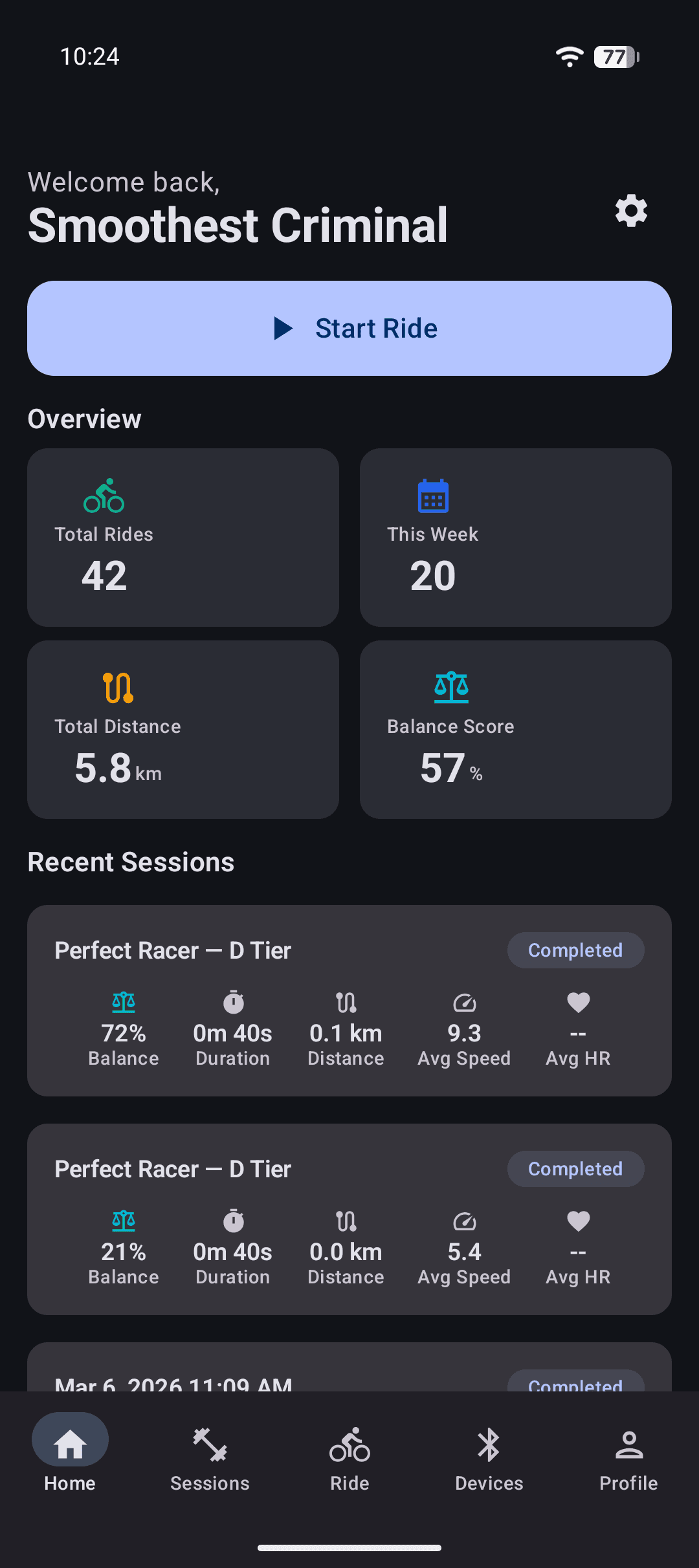
Real-Time Ride Metrics
During your ride, the dashboard puts every metric at your fingertips so you can focus on balance and performance.
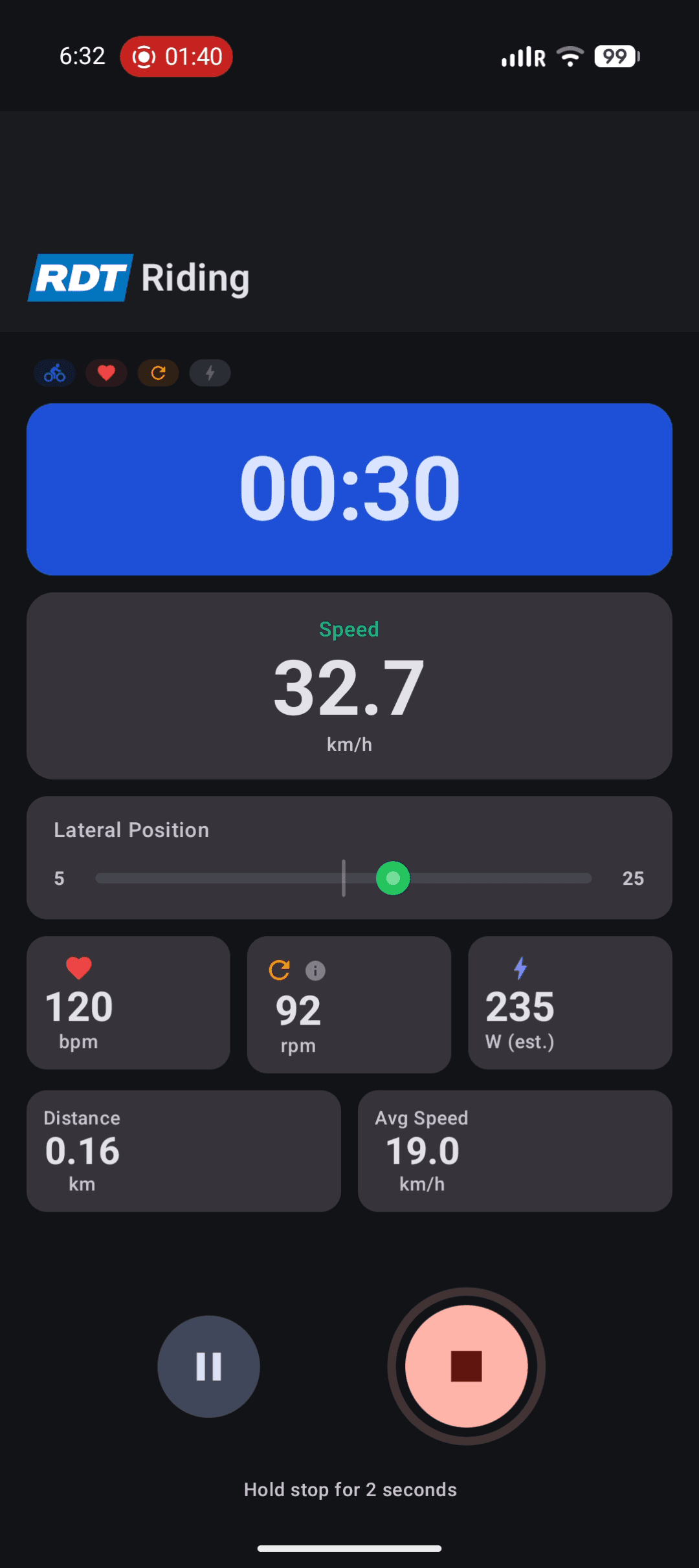
Current speed from the trainer’s roller sensor, displayed large for at-a-glance reading.
A colored bar shows real-time left-right balance. Green means centered; yellow or red means you’re drifting.
Live heart rate from your BLE monitor. Used for HR zone analysis in post-ride reports.
Pedaling cadence from a connected sensor or estimated from trainer data. Target 80–100 rpm.
Cycling power measured by a power meter or estimated from speed and resistance.
Pause for a break or hold Stop to end. Data saves automatically and paused rides can be resumed.
Post-Ride Analysis
After each ride, dive into detailed analytics to understand your performance and track improvements.
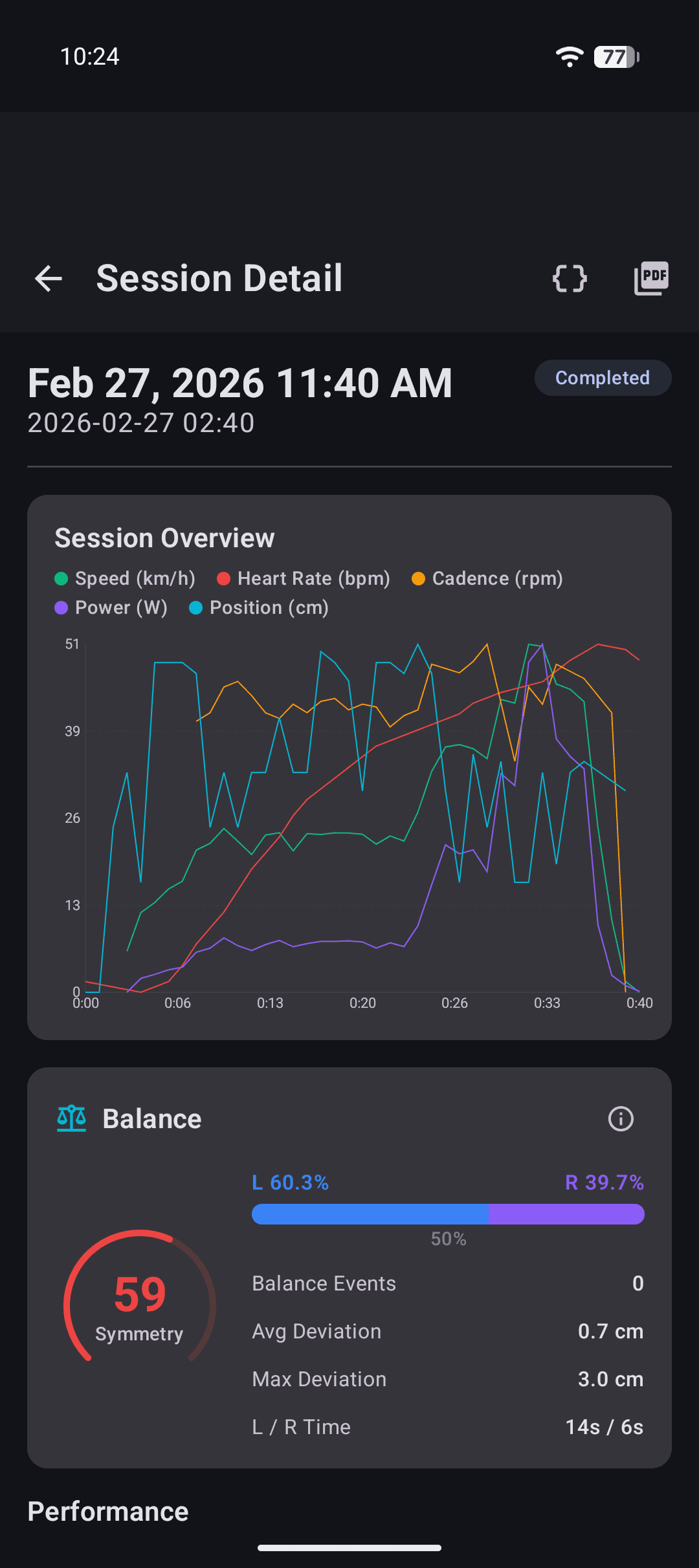
Session Charts
The Session Overview plots speed, heart rate, cadence, power, and lateral position over time. The Balance section shows your symmetry score (0–100) and left/right distribution.
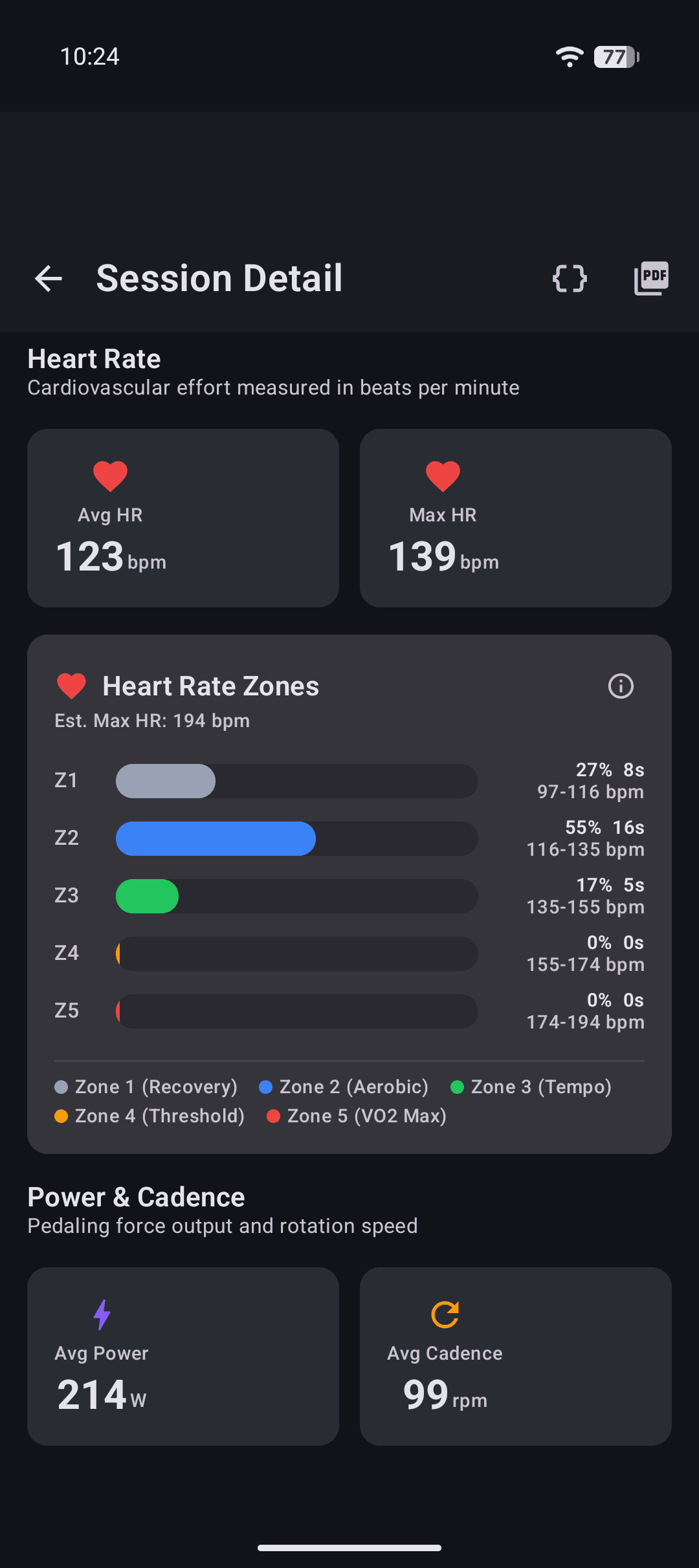
HR Zone Analysis
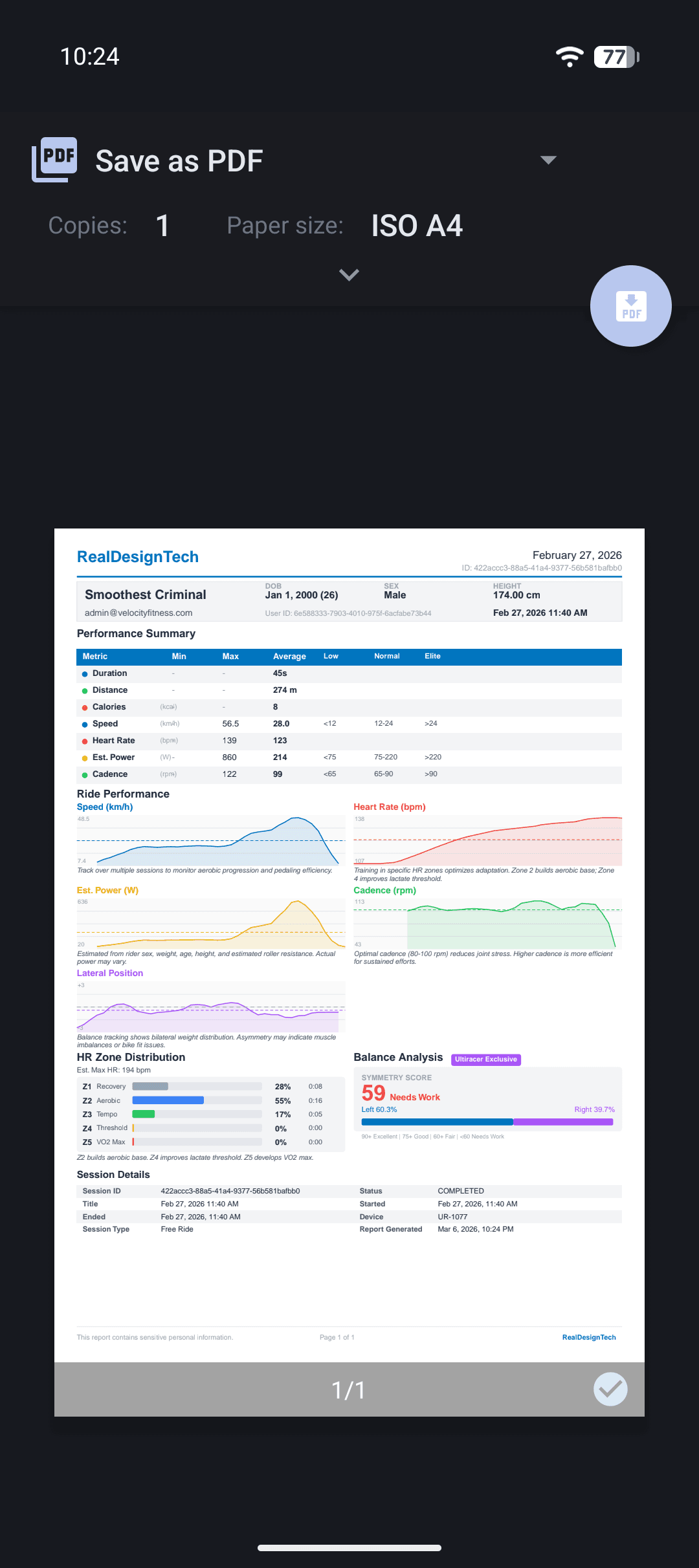
Five-zone heart rate distribution from Z1 Recovery to Z5 VO2 Max. See average and max heart rate alongside power output and cadence metrics.
PDF Reports
Generate professional PDF reports with performance summary, ride charts, HR zones, and balance analysis. Save or share directly from the app.
How to Sign Up
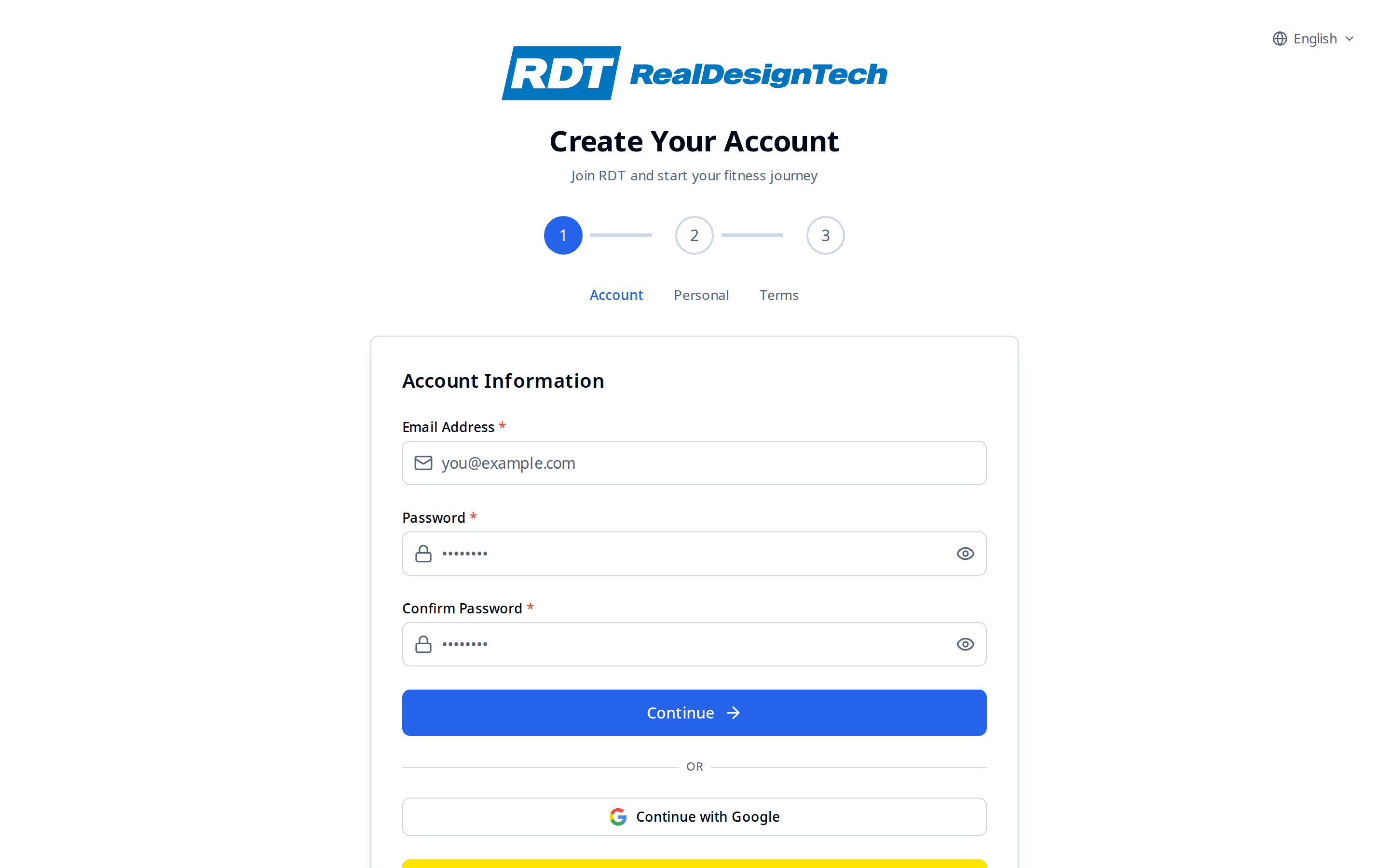
Creating your Ultiracer account takes just a few minutes. The same account works on both the mobile app and the web platform.
Enter Your Email & Password
Go to the Sign Up page and enter your email address. Create a password with at least 8 characters including uppercase, lowercase, number, and special character. You can also sign up with Google or Kakao.
Fill In Personal Information
Enter your name, date of birth, biological sex, height, and weight. This data is used to calculate heart rate zones, estimate calories, and personalize your reports.
Accept Terms & Verify Email
Read and accept the Terms of Service and Privacy Policy, then check your inbox for a verification email. Click the link to confirm your account.
How to Log In
Multiple login methods are available for convenience and security. Choose the one that works best for you.
Enter Your Email
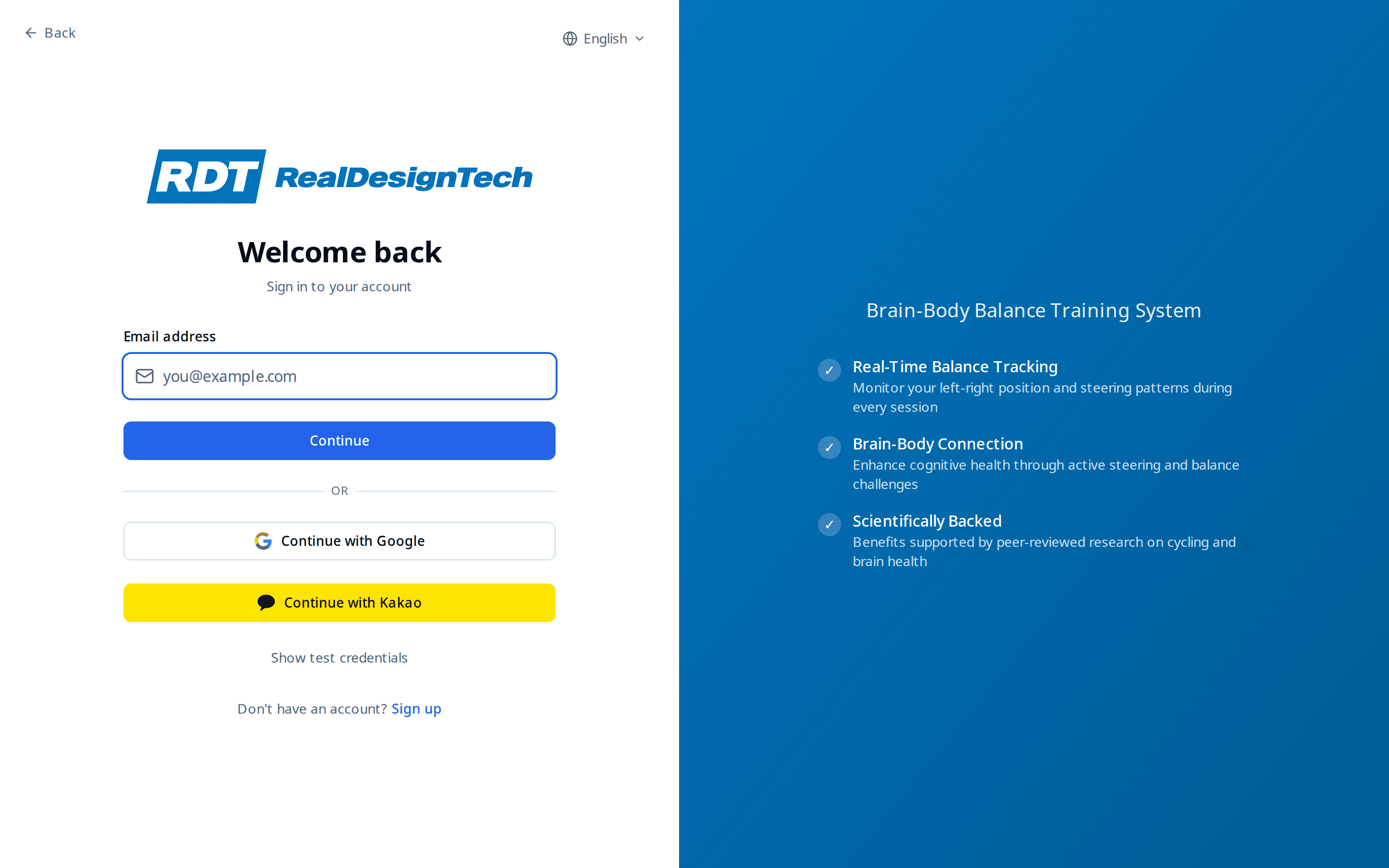
On the login page, enter your registered email. The app checks what login methods are available for your account.
Choose Your Method
Password, Passkey (fingerprint/face), Email Code (6-digit code sent to your inbox), or Google/Kakao social login — pick whichever is most convenient.
Multi-Factor Authentication
If MFA is enabled on your account, complete the additional verification step to protect your health data.
Your Ride Journey
From connecting your trainer to reviewing your results — here is the complete ride flow.
Connect Your Trainer
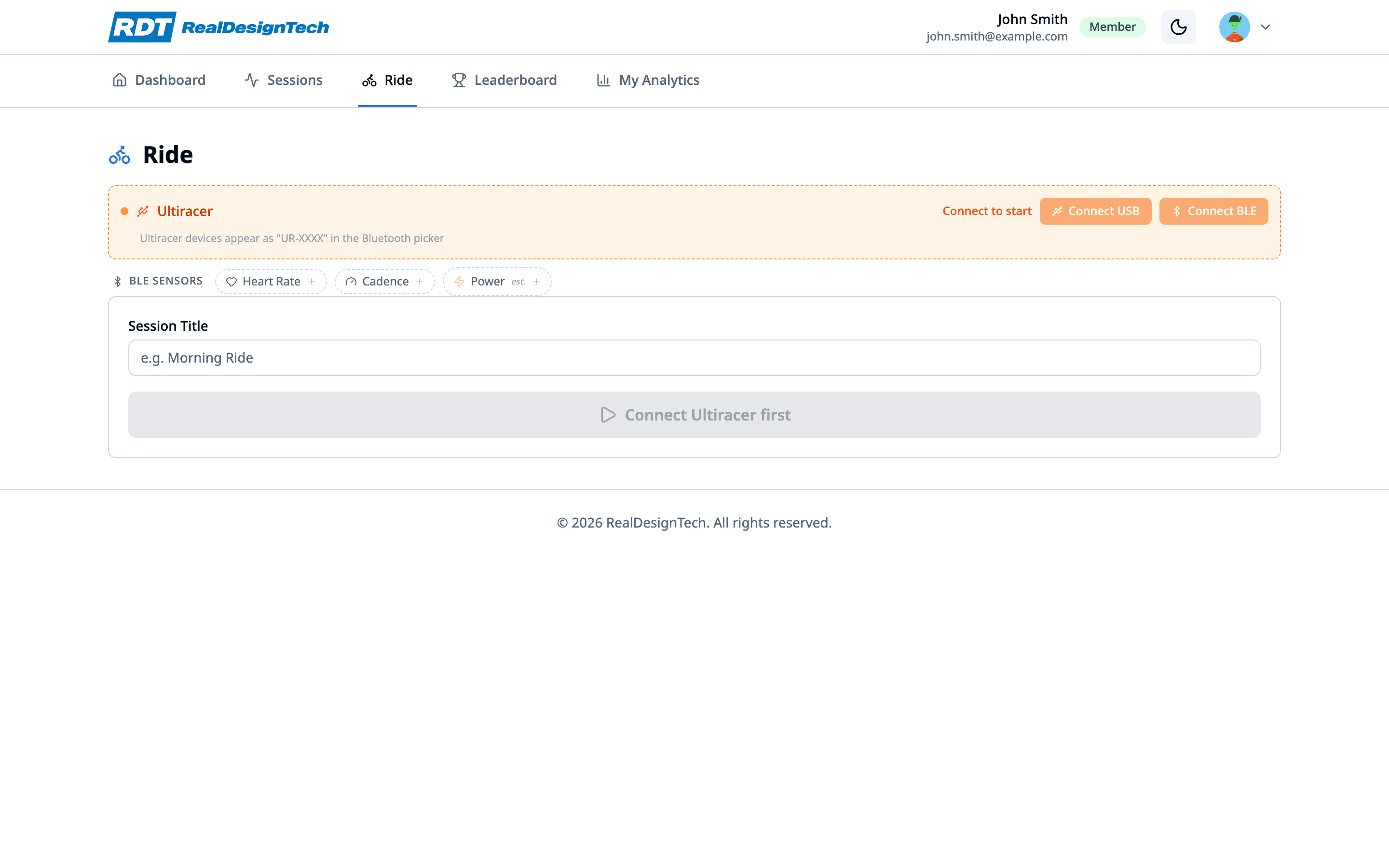
Go to the Devices tab and scan for your Ultiracer trainer via Bluetooth. On the web, connect via Web Serial or Web Bluetooth. A green indicator confirms connection.
Choose Mode & Start
Select Free Ride, Perfect Racer, or Test Mode. Tap "Start Ride" — the trainer immediately begins sending real-time speed, position, heart rate, cadence, and power data.
Ride with Live Metrics
The live dashboard shows all metrics in real time. The colored position bar gives instant left-right balance feedback: green = centered, yellow = slight drift, red = imbalance.
End & Review
Tap "End Session" when done. Your data is auto-saved. Review charts, balance score, HR zones, and download a PDF report or export raw CSV data.
Getting Started
Download the App
Install the Ultiracer app from the Google Play Store on your Android device.
Create an Account
Sign up with your email or log in if you already have an Ultiracer account.
Connect Your Trainer
Go to the Devices tab and scan for your Ultiracer trainer. Tap Connect to pair.
Start Riding
Return to the Home tab, tap "Start Ride", and begin your brain-body balance training session.
Ready to Get Started?
Download the Ultiracer app and begin your brain-body balance training journey today.